
Explore key tools, smart features, and expert insights...
Organizations planning modern IT transitions face more than just device migration. Moving from Office Suite Apps to Google Workspace requires clear visibility into application usage, file types, and migration complexity.
The ChromeOS Readiness Tool is evolving. Soon, it won’t just assess ChromeOS device readiness, it will also introduce Google Workspace Migration Insight, a dedicated solution to guide enterprises through Workspace adoption. This upcoming feature will help organizations evaluate Office apps, map them to Google Workspace alternatives, and design migration strategies with confidence.
The ChromeOS Readiness Tool scans each device to detect active office applications, primarily Microsoft Office, and their usage levels. This analysis ensures decision-makers understand what users truly rely on, rather than just what is installed
The upcoming Workspace Migration Insight categorizes apps and files by migration complexity, helping IT teams plan effectively:
Compatible – Fully supported in Google Workspace
Moderately Compatible – May require adjustments
Not Compatible – Use alternatives
These insights allow organizations to anticipate challenges and reduce migration risk.
Application Usage Insights
Many organizations license more office apps than employees use. ChromeOS Readiness Tool highlights actual usage vs. licensed apps, helping IT teams:
Identify underutilized software
Optimize Microsoft 365 spend
Ensure informed decisions on Workspace adoption
ChromeOS Readiness Tool maps Microsoft apps to Google Workspace equivalents:
Excel → Google Sheets
Word → Google Docs
PowerPoint → Google Slides
Outlook → Gmail & Calendar
Each mapping is planned to provide a compatibility status for every Workspace alternative, taking into account both feature coverage and macro usage from the corresponding Office app. This will help enterprises anticipate training needs, workflow adjustments, and feature parity considerations.
All assessment data is securely collected and SOC 2 Type II compliant, giving IT teams confidence that sensitive information is protected.
The Google Workspace Migration Insight update turns ChromeOS Readiness Tool into a full Workspace adoption companion, not just a ChromeOS readiness tool. Enterprises can now:
Analyze actual application usage across devices
Identify migration complexity upfront
Map workflows to Google Workspace with feature clarity
Optimize resources while planning migration
By integrating device readiness, application readiness, and Workspace mapping, ChromeOS Readiness Tool provides a complete migration picture, ensuring organizations move to modern workflows smoothly and strategically.
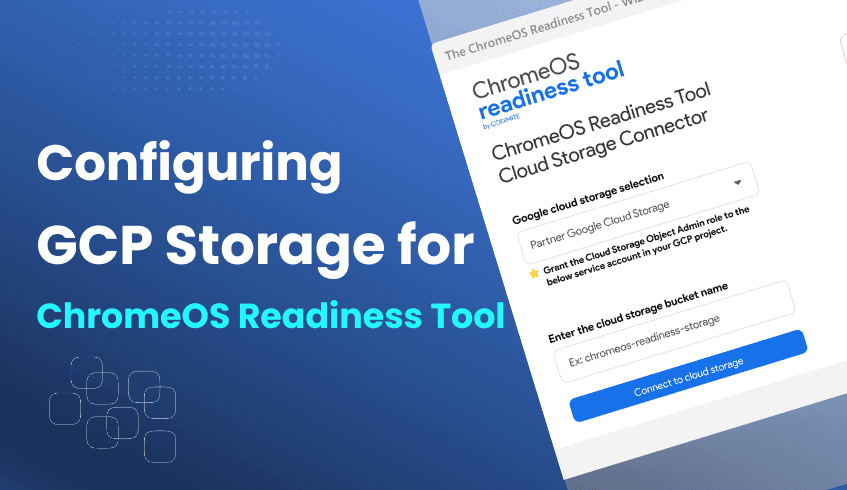
Effectively managing security assessments with the ChromeOS Readiness Tool depends on proper data storage. The ChromeOS Readiness Tool provides valuable insights into device and app readiness before migrating to ChromeOS. A key part of its setup involves configuring Google Cloud Platform storage buckets. This explains storage options and configurations to ensure assessment data is secure, organized, and accessible.
When deploying the ChromeOS Readiness Tool, organizations must determine how assessment data will be stored and managed. GCP storage buckets act as secure containers within Google Cloud for all collected data. The installer provides two main storage options:
Partner Google Cloud Storage – a pre-existing bucket maintained by a ChromeOS Readiness Tool Partner, where customer data can be stored.
Company Google Cloud Storage – a bucket created and directly managed by your own organization.
For independent companies not working with a Partner, the storage choice is straightforward:
Select Company Google Cloud Storage.
Create your own storage bucket.
Connect the ChromeOS Readiness Tool by entering the bucket name once access is granted.
This ensures all assessment data is stored securely within your company’s GCP environment.
Organizations working with a certified Partner have two choices, enabled by a Partner setup file:
Partner’s Shared Bucket – Customers store data in the Partner’s bucket. The Partner requires a private key to view readiness results on their dashboard.
Customer’s Own Bucket – Customers may have the option to create their own storage bucket, selecting Company Google Cloud Storage instead of using the shared Partner option.
When configuring storage for the ChromeOS Readiness Tool, following best practices ensures smooth and accurate data storage.
For users, we recommend:
Create and prepare the GCP bucket in advance – Set up the storage bucket before starting the configuration process.
Share access with the customer – Grant the customer the required access to the prepared bucket for seamless integration.
Verify access privileges – Double-check roles and permissions (e.g., Storage Object Admin) to avoid connection issues.
Refer to official resources – Use the step-by-step guidance in the user documentation and tutorial videos available on the ChromeOS Readiness Tool website and YouTube channel.
By following these practices, partners can streamline deployments, reduce errors, and ensure storage is ready for smooth data collection.
Correctly configuring GCP storage buckets is essential to unlocking the full value of the ChromeOS Readiness Tool. Whether you are a Pro company managing your own data or a Partner supporting multiple customers, selecting the right storage option ensures assessment data is secure, accessible, and aligned with dashboard insights. With the right storage configuration, organizations can confidently manage and store the data.
Smooth technology transitions are critical for business productivity. When organizations consider adopting ChromeOS, employees expect the switch to be seamless, secure, and disruption-free. The ChromeOS Readiness Tool makes this possible by simplifying migration planning, providing clear insights, and empowering IT teams to create a positive user experience from day one.
The tool conducts a comprehensive compatibility assessment of your IT environment, analyzing:
Applications → Classified as ChromeOS Ready, Possibly Ready, Blocker or Unknown Apps.
Devices → Labeled as Ready to Switch, Ready with Verification, or Blocked from Switching.
Peripherals → Checked for seamless integration.
By flagging potential issues early, IT teams can resolve blockers in advance, ensuring employees remain productive throughout the transition.
The web-based dashboard gives IT leaders a clear readiness score, with detailed visibility across devices, apps, browsers, and extensions. Key features include:
Device assessments for accurate insights to determine the current ability to switch to ChromeOS or ChromeOS Flex.
Peripheral device insights determine if the currently connected peripherals are ready for ChromeOS.
Browser insights to identify browser versions, usage, and extensions, along with recommending Chrome Enterprise Browser adoption.
Virtualization guidance (e.g., Cameyo support) to keep critical Windows apps accessible.
This actionable intelligence allows IT to design optimized, disruption-free user environments.
Beyond analysis, the tool provides expert recommendations tailored to your organization. This reduces downtime, lowers migration costs, and accelerates adoption. With flexible deployment options (Enterprise and Other deployment flows), IT teams can implement quickly, regardless of infrastructure setup.
The tool’s application compatibility database is also continuously updated with new compatibility data, ensuring assessments stay accurate and recommendations evolve alongside enterprise needs.
The ChromeOS Readiness Tool is more than an assessment solution; it’s a strategic enabler. By combining proactive compatibility checks, actionable insights, and evolving guidance, it ensures:
Minimal employee disruption
Secure, optimized workflows
Confidence in adopting ChromeOS
With this foundation, organizations can modernize their IT landscape while delivering a seamless experience for employees.
When adopting new IT solutions, protecting sensitive data is a top priority. As organizations evaluate migration to ChromeOS, it’s crucial to understand how assessment tools manage and safeguard information. The ChromeOS Readiness Tool is built with privacy at its core, ensuring security throughout the compatibility assessment process.
A key principle of the ChromeOS Readiness Tool is that all collected data remains securely within your organization and cloud. No information is transmitted or stored externally without your explicit control.
To protect confidentiality, the tool uses encryption:
Local Encryption – Log files are first encrypted locally.
Key Protection - Encrypted data can only be decrypted through a private key.
Secure Access – Ensuring access only to authorized systems.
In addition, strict controls prevent unauthorized access to encryption keys themselves.
Access to assessment data is tightly restricted:
For files stored on shared folders, only authorized personnel can access them.
Employee access is explicitly limited.
To view readiness results on the web dashboard, users must upload the private key generated during deployment. Only the deployer with this key can access the data.
For Partner users, an encryption file must be entered to view customer readiness details.
For features like Browser Insights, data collection is transparent and admin-controlled. Data is temporarily stored on employee devices before being securely transferred to the chosen storage location.
The ChromeOS Readiness Tool is supported by clear documentation, including a GDPR Compliance & Data Security Report in its Security Documents section. Its encryption, restricted access, and internal handling practices align with GDPR and other global privacy regulations.
By combining encryption, access control, and regulatory compliance, the ChromeOS Readiness Tool ensures your data stays private and secure. With these safeguards in place, organizations can evaluate ChromeOS readiness confidently, without compromising sensitive information.
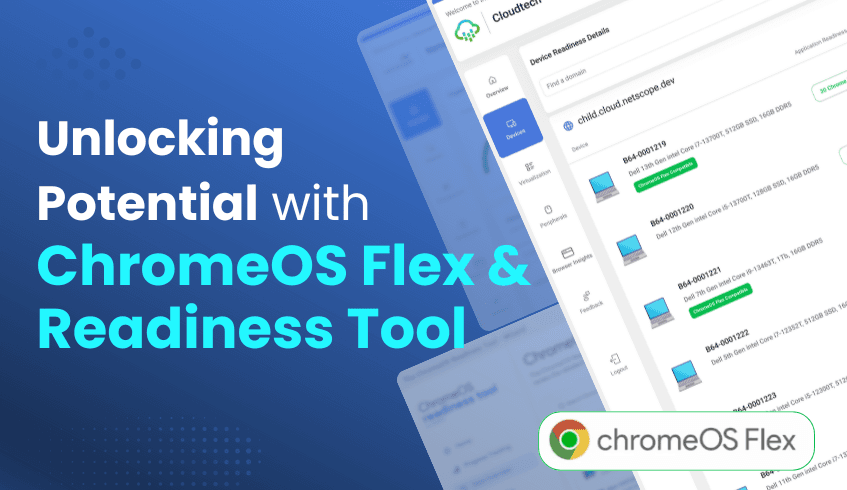
Adapting to rapid changes in technology requires solutions that balance efficiency, security, and sustainability. While ChromeOS Flex helps organizations modernize existing hardware and reduce e-waste, determining which devices are ready for the shift can be complex. The ChromeOS Readiness Tool fills this gap, offering precise insights that make migration smarter and more strategic.
ChromeOS Flex is Google’s lightweight operating system that turns existing PCs and Macs into ChromeOS devices. By extending hardware life, it reduces electronic waste and eliminates the need for costly replacements. For businesses, this means cost-effective modernization with a direct contribution to environmental sustainability.
The ChromeOS Readiness Tool evaluates your IT environment, including applications, devices, and peripherals, to determine readiness for ChromeOS. Instead of relying on guesswork, IT teams gain actionable insights that make migration decisions clear and data-driven.
When paired together, ChromeOS Flex and the Readiness Tool create a powerful framework for digital transformation:
Targeted Hardware Modernization – The Readiness Tool identifies exactly which devices can run ChromeOS Flex, ensuring upgrades are applied where they bring the most value.
Clear Device Readiness Statuses – Devices are classified as Ready to Switch, Ready with Verification, or Blocked from Switching, giving IT teams a straightforward roadmap for deployment.
Optimized Resource Allocation – With precise readiness data, IT teams can prioritize effort and investment, focusing on devices that need verification while planning alternatives for blocked systems.
Centralized Visibility – Both the Pro Dashboard and Partner Dashboard provide a unified view of ChromeOS Flex readiness, applications, and peripherals. This enables strategic planning backed by expert recommendations.
ChromeOS Flex extends the life of your hardware, and the Readiness Tool ensures every step of migration is guided by intelligence. Together, they turn transformation into a clear, efficient, and sustainable journey, helping organizations modernize with confidence.
As organizations modernize their IT infrastructure, many look to cloud-based operating systems like ChromeOS for efficiency, security, and cost-effectiveness. The ChromeOS Readiness Tool is widely recognized for assessing compatibility and ensuring smooth migration. Yet beyond these immediate functions, it delivers hidden benefits that can strengthen IT strategy and long-term operational resilience.
Let’s explore these often-overlooked advantages:
The tool provides more than compatibility checks; it delivers strategic clarity. Analyzing Windows applications and categorizing them as ChromeOS-ready, possibly ready, or blockers, along with unknown, it allows IT teams to identify incompatibilities early. This foresight helps prevent costly delays, downtime, and unforeseen expenses, turning migration into a predictable and controlled process rather than a disruptive project.
Device readiness statuses like Ready to Switch, Ready with Verification, and Blocked from Switching reveal opportunities to repurpose existing hardware through solutions like ChromeOS Flex. This extends device lifecycles, reduces the need for expensive replacements, and minimizes e-waste, achieving modernization while supporting both cost efficiency and sustainability goals.
Security is built into the tool’s core. Data remains within the organization, protected by encryption, and accessible only through a private deployment key. This ensures strict data governance and builds confidence in new IT initiatives. In addition, the Browser Insights feature helps identify unauthorized or risky extensions, enabling a proactive approach to web security and improving overall IT oversight.
By offering clear pathways, such as virtualization options for applications marked Possibly Ready or Blocker, the tool positions organizations for future adaptability. It shifts IT planning from reactive problem-solving to strategic innovation, enabling confident scaling and smoother adoption of cloud-first strategies. This foundation supports both immediate needs and long-term digital growth.
The ChromeOS Readiness Tool is more than a compatibility checker; it’s a strategic enabler. It reduces migration risks, maximizes existing resources, strengthens security practices, and paves the way for sustainable innovation. By uncovering these hidden benefits, organizations can move beyond migration readiness and build a truly agile, secure, and future-ready IT ecosystem.
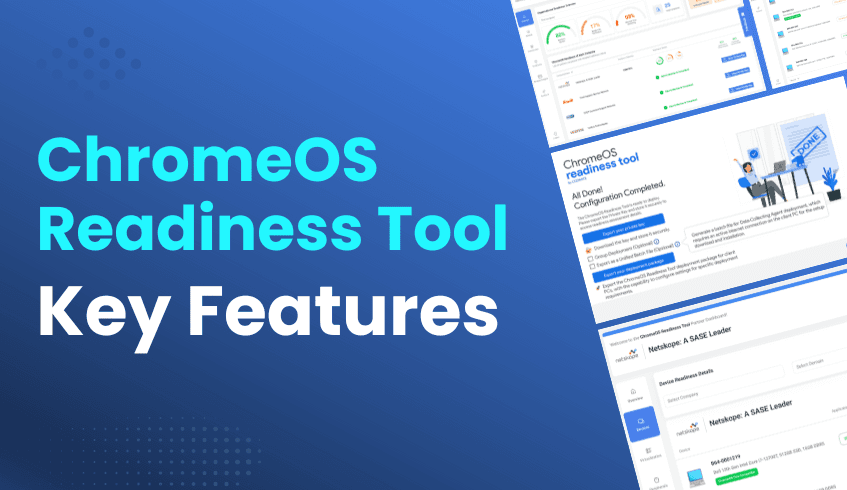
Modern businesses demand IT solutions that are fast, secure, and cost-efficient. Migrating to a cloud-based operating system like ChromeOS offers these benefits, but the transition can feel complex without the right tools. The ChromeOS Readiness Tool simplifies this process, enabling organizations to assess compatibility and plan migrations with confidence.
This tool delivers a comprehensive compatibility assessment, giving IT administrators actionable insights into applications, devices, and peripherals. By combining advanced analysis with a secure framework, the tool provides a reliable roadmap for a seamless migration.
The tool evaluates your organization’s IT environment to ensure a smooth transition to ChromeOS.
Application Readiness: Apps are classified as ChromeOS Ready, Possibly Ready, Blockers, or Unknown.
Device Readiness: Devices are categorized as Ready to Switch, Ready with Verification, or Blocked from Switching.
This structured classification provides IT teams with a clear roadmap of what’s ready, what needs validation, and what requires remediation.
Security and privacy are at the core of the ChromeOS Readiness Tool.
Encryption safeguards all collected data.
Log files are encrypted locally.
Only authorized personnel can access readiness insights via a private key generated during deployment.
Employee access to shared data is restricted, ensuring the data is stored securely.
The tool adapts to different organizational setups with two deployment flows:
Enterprise Flow:
Uses Active Directory + Group Policy Objects (GPOs).
Suited for companies managed with Active Directory.
Supports storage in Network Shared Folders or Google Cloud Storage Buckets (or both).
Data collection begins after a required 90-minute device restart.
Other Deployment Flow:
Designed for UEM-based environments without Active Directory.
Optimized for cloud-first setups.
Stores data in Google Cloud Storage Buckets only.
Includes the Web Dashboard by default
This flexibility ensures IT teams can choose the installation method that best aligns with their infrastructure.
A detailed, web-based dashboard offers visibility into organizational readiness:
High-level readiness scores with detailed breakdowns.
Device-level insights on compatibility and connected peripherals.
Browser Insights brings visibility into browser usage, versions, and extensions across the organization.
Identification of applications that may require virtualization, with recommendations for supported solutions.
The Browser Insights feature provides centralized visibility into web usage across devices.
Captures browser usage, versions, and extension details.
Helps IT teams make data-driven decisions while recommending the more secure Chrome Enterprise browser.
When organizations evaluate ChromeOS for migration, one of the most important considerations is security. While some may wonder how ChromeOS aligns with advanced security models like Zero Trust. However, both provide robust, layered security features that support secure operations and compliance.
ChromeOS is built with security by design, using a multi-layered defense strategy:
Sandboxing – Each application and web page runs in its own isolated environment, minimizing risk if one process is compromised.
Verified Boot – Devices automatically check system integrity at startup, preventing tampered or malicious code from running.
Automatic Updates – Security patches are applied seamlessly, reducing exposure to emerging threats.
This architecture minimizes reliance on third-party security tools, simplifying IT management while enhancing overall protection.
The ChromeOS Readiness Tool also emphasizes secure handling of sensitive data during migration assessments:
Data Encryption – All log files are encrypted locally , which are then protected by encryption.
Controlled Access – Viewing readiness data requires the private key generated during deployment, ensuring access is limited to authorized personnel.
Privacy by Design – Collected data remains within the organization and can only be stored in approved network or cloud locations.
Employee Safeguards – Permissions restrict access to shared folders, protecting sensitive data from unauthorized users.
Compliance – The tool includes a dedicated GDPR Compliance & Data Security Report, reinforcing its commitment to data privacy.
Both are designed with strong security principles, minimizing attack surfaces, enforcing strict access controls, and protecting sensitive data.
For organizations migrating to ChromeOS, these built-in protections provide a secure foundation, one that can align well with broader Zero Trust strategies, even if not directly positioned under that label.
In many organizations, IT teams often spend most of their time putting out fires and resolving issues only after they disrupt operations. While necessary, this reactive approach slows progress and leaves businesses vulnerable to delays, higher costs, and security risks. The smarter path forward is proactive IT management, where potential problems are anticipated and addressed before they impact users.
When planning a major shift like moving to a cloud-first operating system like ChromeOS, being proactive is critical. The ChromeOS Readiness Tool empowers organizations with the data they need to transition smoothly, helping IT teams move from reactive problem-solving to strategic, forward-looking planning.
The ChromeOS Readiness Tool delivers comprehensive compatibility insights across your IT environment, creating a clear picture before migration:
Application Usage – Categorizes Windows applications as Chrome Ready, Possibly Ready, Blocker, or Unknown, guiding decisions around replacements or virtualization.
Device Readiness – Labels devices as Ready to Switch, Ready with Verification, or Blocked from Switching.
Peripheral Compatibility – Highlights which connected peripheral devices will work seamlessly with ChromeOS.
Browser Insights – Tracks browser versions, usage trends, and extensions to reveal potential risks or inefficiencies.
Virtualization Guidance – Recommends solutions like Cameyo for apps that can’t run natively on ChromeOS, which are deemed Possibly Ready or Blocker.
All readiness data remains securely within your organization. Information is encrypted end-to-end, and access to dashboards requires the private key generated at deployment. This ensures only authorized personnel can review readiness results.
Armed with readiness data, IT teams can take a proactive role in shaping strategy and reducing risks:
Smooth Migration, No Guesswork – Avoid last-minute issues by knowing exactly which apps and devices are compatible.
Save Time and Reduce Costs – Identify blockers early, plan virtualization, and prevent costly downtime during deployment.
Strengthen Security – Detect unauthorized or risky extensions and reduce vulnerabilities before they become threats.
Data-Driven Decisions – Use web dashboards, readiness scores, and detailed breakdowns to confidently allocate resources.
Future-Proof Infrastructure – Adopt ChromeOS with clarity, positioning your organization for growth in a cloud-first environment.
The ChromeOS Readiness Tool helps IT teams move from fixing problems to enabling business success.. By providing deep visibility into applications, devices, and browser use, it empowers teams to plan migrations with confidence, reduce risks, and build secure, future-ready infrastructure.