
Explore key tools, smart features, and expert insights...
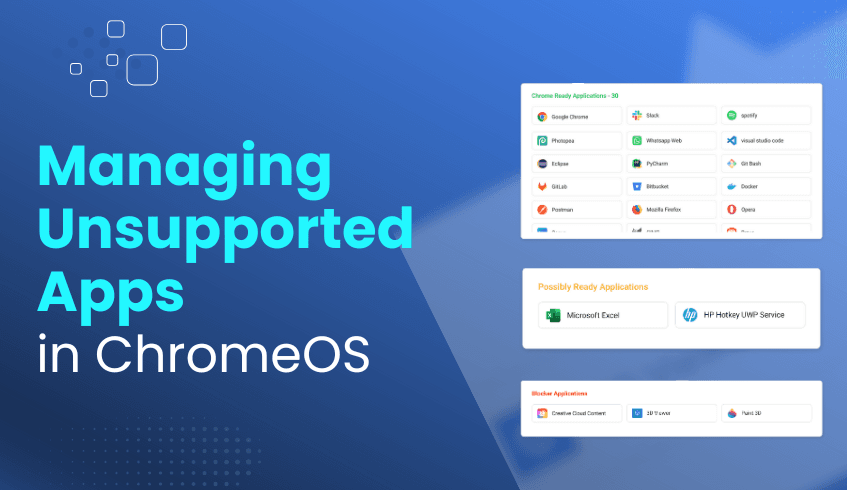
Migrating to ChromeOS delivers significant benefits, from enhanced security to simplified management and cost savings. Yet, one of the biggest concerns for organizations is how to handle Windows applications that don’t natively run on ChromeOS. The ChromeOS Readiness Tool addresses this challenge by providing a structured way to evaluate and manage application compatibility.
The ChromeOS Readiness Tool analyzes your existing Windows applications and categorizes them into clear groups:
ChromeOS Ready – Fully compatible and ready to run on ChromeOS.
Possibly Ready – May work with limited functionality but could require additional configuration or adjustments.
Blockers – Not compatible and require alternative solutions before migration.
Unknown – Applications still under review or awaiting database updates.
This classification helps IT teams plan migration strategies with precision.
For applications marked as ‘Possibly Ready’ or ‘Blockers,’ the tool goes beyond identification by recommending virtualization solutions.
The Partner and Pro dashboards introduce a dedicated Virtualization section with Cameyo recommendations, helping IT teams:
Explore virtualization as a solution for incompatible apps.
Filter apps by usage (high/low) to prioritize what matters most.
Check Cameyo compatibility directly, with tooltips for apps under review.
Using the ChromeOS Readiness Tool ensures that unsupported apps don’t derail migration efforts. Benefits include:
Clarity – A clear view of which applications are ready, need adjustments, or require virtualization.
Continuity – Legacy apps remain accessible through recommended virtualization options like Cameyo.
Efficiency – Early identification saves time, reduces costs, and minimizes downtime.
Confidence – Actionable insights and recommendations enable informed decision-making throughout the migration process.
The ChromeOS Readiness Tool transforms application compatibility from a barrier into an opportunity. By categorizing apps and guiding organizations toward solutions like virtualization, it ensures every essential application remains accessible, making the transition to ChromeOS smoother, smarter, and more strategic.
Migrating to ChromeOS requires more than a general overview of application compatibility. For large organizations, it’s critical to understand how applications perform across different domains to ensure a smooth, well-planned transition. The ChromeOS Readiness Tool provides the granular insights needed to compare readiness across these groups and guide migration strategies.
The tool classifies existing Windows applications into four clear categories:
ChromeOS-ready – Fully compatible with ChromeOS.
Possibly Ready – May require additional configuration and work with limited functionality.
Blockers – Not compatible; need alternatives or virtualization.
Unknown – Compatibility still being verified in the database.
These categories form the foundation for analyzing readiness across groups and organizational units.
The ChromeOS Readiness Tool makes group-level and domain-level comparison possible through its flexible deployment methods and intuitive dashboards:
Enterprise Flow – Admins select the domains where the tool will be deployed. Deployment is applied to the chosen domains at once.
Other Deployment Options – Admins can deploy the tool for a specific set of devices, enabling group-level analysis without needing to deploy to all at once.
This flexibility ensures that application data can be collected domain by domain or group by group, depending on organizational needs.
Domain-specific views – Filter results to view readiness data for a single group or domain.
Device- and app-level drill down – Review a device’s application summary and readiness status.
Comprehensive reports – Access high-level readiness scores with detailed compatibility breakdowns.
Export for deeper analysis – Download raw data to Excel or integrate with BI tools (Looker, Tableau, Power BI) for customized comparisons.
Domain-specific insights ensure migration is both efficient and strategic:
Tailored Migration Strategies – Identify which domains are ready to switch immediately and which require further preparation.
Optimized Resource Allocation – Direct IT support, training, and solutions like Cameyo where they’re most needed.
Proactive Risk Management – Spot potential blockers before they impact productivity.
Data-Driven Decision Making – Plan phased rollouts, allocate budgets wisely, and ensure each unit’s needs are addressed.
By leveraging the ChromeOS Readiness Tool, organizations gain domain-level visibility into application compatibility. This enables IT leaders to plan migrations that are smooth, efficient, and customized to each domain's needs, turning complexity into clarity and ensuring a successful transition to ChromeOS.
In today’s dynamic business environment, a strong IT strategy is essential for agility, security, and long-term competitiveness. As organizations increasingly adopt cloud-first operating systems like ChromeOS, migration requires a data-driven approach. The ChromeOS Readiness Tool enables this by turning complex compatibility assessments into actionable insights that directly align with your IT strategy.
The ChromeOS Readiness Tool evaluates your IT environment to ensure a seamless transition, analyzing key areas:
Application Usage: Categorizes Windows applications as ChromeOS-ready, Possibly Ready, or Blocker apps. Continuous updates in the application database reduce “Unknown” statuses for improved accuracy.
Device Compatibility: Identifies devices as Ready to Switch, Ready with Verification, or Blocked from Switching, guiding hardware readiness decisions through current application readiness.
Peripheral Integration: Provides details on connected peripherals and their compatibility.
Browser Insights: Delivers a complete view of browser and extension usage, including versions and risks, to support adoption of the Chrome Enterprise Browser.
All insights are presented via an intuitive web dashboard with a high-level readiness score and detailed breakdowns
The tool’s greatest value lies in converting raw data into strategic guidance, enabling IT leaders to make informed decisions:
Application Strategy: Highlights blockers and recommends virtualization through Cameyo to ensure seamless access.
Hardware Lifecycle Management: Supports cost-efficient planning with options like extending device life using ChromeOS Flex.
Security Enhancements: Identifies outdated browsers or extensions, strengthening your security posture.
Deployment & Management: Removes guesswork, enabling faster migrations and simplified ongoing management.
Expert recommendations further tailor the migration plan to your organization’s needs.
With early visibility into challenges, organizations save time and resources while ensuring scalability, adaptability, and resilience. By aligning IT strategy with readiness insights, the ChromeOS Readiness Tool enables a smooth migration, stronger security, and long-term digital transformation success.
It’s not just an assessment tool; it’s a strategic enabler for building the cloud-first workplace of the future.
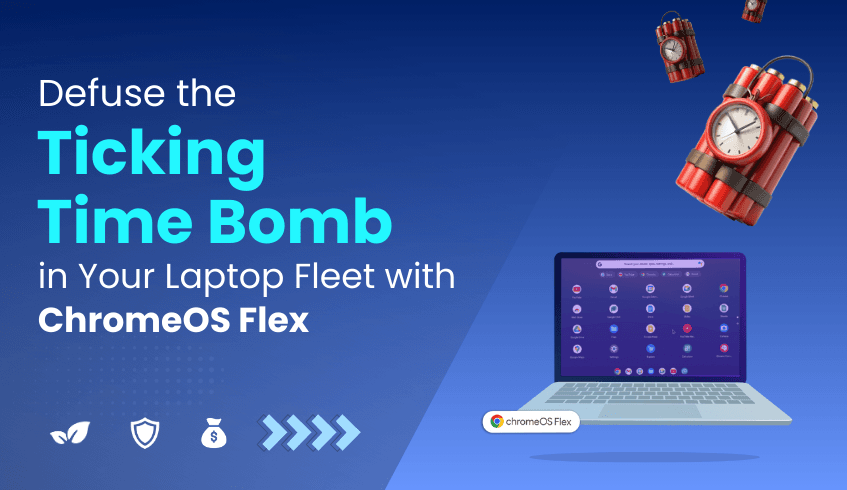
Look across your organization; laptops are on every desk and in every home office. Your employees are fighting through slow boot times, lagging applications, and constant security patch notifications. These devices, the lifeblood of your operations, are also a frontline security risk and a future e-waste disaster. Each one is a potential entry point for a breach and a future contributor to our global e-waste crisis. This isn't a problem in a closet; it's a ticking time bomb on every desk.
For years, the mandate for IT teams was the relentless and expensive "rip and replace" hardware cycle. We were told it was the only way to stay secure.
The New Mandate: Repurpose, Secure, Sustain
Today, that assumption is no longer the only truth. There is a smarter, more secure, and profoundly sustainable path forward that transforms this liability into your greatest strategic asset.
This isn't a fantasy. This is the reality of ChromeOS Flex.
Google's cloud-first operating system isn't just a piece of software; it's a strategic decision to break the cycle of waste. By installing Flex, you are not just updating a machine; you are fundamentally reimagining its purpose.
Let's be clear: an aging laptop running a traditional OS is a prime target. ChromeOS Flex slams that door shut and welds it closed.
Immunity by Design: Flex runs in a sandboxed environment. Every tab, every app, is isolated. Even if a threat gets in, it's trapped in a digital cage with nowhere to go. It cannot touch the core OS or other applications.
The Unbreachable Core: The OS itself is read-only. Ransomware has nothing to write to, no way to take hold. It's like trying to graffiti a wall made of light.
Constant Vigilance: With seamless, automatic background updates every few weeks, your security is always ahead of the curve, managed by Google’s world-class security teams. You don't just patch vulnerabilities; you prevent them from ever becoming a threat.
It’s like installing a state-of-the-art bank vault inside a ten-year-old building. The exterior is familiar, but the core is impenetrable.
Every new laptop manufactured emits over 300kg of CO₂. The single most impactful sustainability choice is not just recycling, but reuse. By breathing new life into your hardware with ChromeOS Flex, you are executing a powerful circular economy strategy, turning an environmental liability into a headline for your next sustainability report.
This is the moment the vision feels revolutionary, and also the moment the logistical nightmare kicks in for any IT leader. "This is incredible, but I have thousands of devices... How can I possibly know which machines are compatible without derailing my team for months with manual audits? How do I plan a migration without grinding operations to a halt?”
This uncertainty is the single biggest barrier between a revolutionary strategy and a failed project.
Answering this question is why we built the ChromeOS Readiness Tool.
Our tool is the catalyst that turns your sustainability and security vision into a practical, actionable plan. It provides the X-ray vision you need into your entire hardware fleet.
In a single, automated scan, the Readiness Tool analyzes every device and gives you instant, crystal-clear answers:
Full Compatibility Reporting: Instantly see which devices are certified and ready for Flex.
Identify Blockers: Pinpoint the exact machines that aren't compatible, so you can plan accordingly.
Accelerate Your Timeline: What would take months of manual audits and spreadsheets, our tool does in hours. It de-risks your entire migration and gives you the data-driven confidence to move forward.
You cannot build a new future on guesswork. The ChromeOS Readiness Tool eliminates the guesswork.
The choice is clearer than ever. You can continue the wasteful, insecure cycle of the past. Or you can embrace a new, triple-win mandate:
A Security Win: Dramatically harden your security posture against modern threats.
A Sustainability Win: Become a leader in sustainable IT and meet your ESG goals.
A Financial Win: Slash your hardware budget and maximize the ROI on your existing investments.
The future of IT isn't about buying more. It's about being smarter. It's about being more secure. And it's about being more sustainable.
Ready to begin your transformation? Start by getting the clarity you need.
In today’s fast-paced work environment, an efficient employee onboarding process is essential for productivity and a positive first-day experience. For IT teams, preparing new hires with the right devices, applications, and configurations can be time-consuming, especially when compatibility issues arise.
The ChromeOS Readiness Tool simplifies this process by ensuring your IT environment is fully prepared for a seamless transition to ChromeOS, enabling faster, smoother onboarding.
The ChromeOS Readiness Tool conducts a comprehensive compatibility assessment of your existing infrastructure. It evaluates application usage, device readiness, and peripheral integration, offering clear, actionable insights to eliminate setup bottlenecks.
Upfront Compatibility Checks – The tool analyzes Windows applications, categorizing them as ChromeOS Ready, Possibly Ready, or Blockers. Devices are classified as Ready to Switch, Ready with Verification, or Blocked from Switching.
Virtualization Recommendations – For applications that aren’t fully compatible, the tool identifies virtualization requirements and recommends solutions like Cameyo. This ensures critical applications are available from day one.
Data-Driven Deployment Planning – A web-based dashboard displays readiness insights, detailed compatibility breakdowns, and device assessments. This enables IT to strategically plan provisioning so every device is truly “Ready to Switch” before onboarding begins.
Once readiness is confirmed, organizations can leverage ChromeOS’s built-in advantages to streamline onboarding:
Rapid Deployment – Features like zero-touch enrollment allow devices to be configured and deployed quickly, with minimal IT intervention.
Centralized Management – Cloud-based administration simplifies policy enforcement and reduces setup time for new hires.
Scalability for Growth – Whether onboarding a few employees or thousands, ChromeOS ensures consistent configurations and efficient remote management across all locations.
The ChromeOS Readiness Tool is a strategic first step toward modernizing your IT onboarding process. By resolving compatibility challenges ahead of time and enabling ChromeOS’s rapid deployment capabilities, it helps IT teams deliver a faster, more consistent, and trouble-free setup experience for every new employee, empowering organizations to scale with confidence.
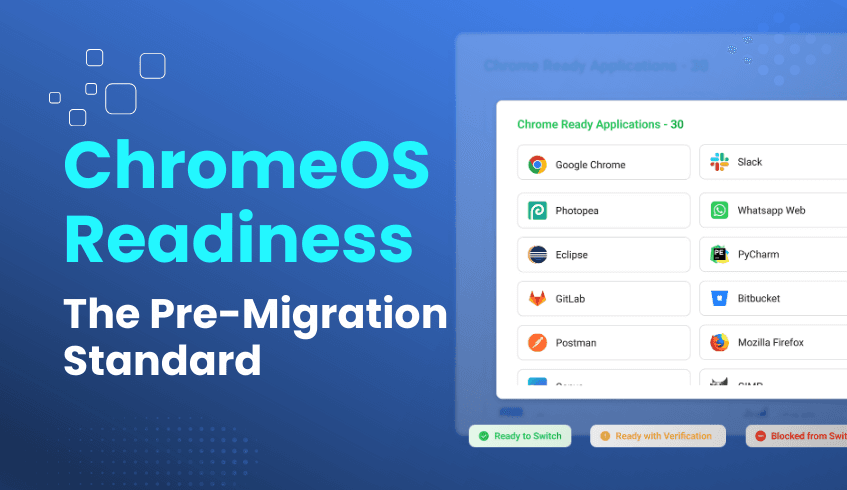
In today’s rapidly evolving digital landscape, organizations seek efficient, secure methods to modernize IT infrastructure. Migrating to cloud-native platforms like ChromeOS offers clear benefits, but success depends on thoroughly understanding the existing environment before making the switch. The ChromeOS Readiness Tool provides a comprehensive, secure solution that is quickly becoming essential for pre-migration audits.
The tool delivers in-depth compatibility analysis by evaluating application usage, device readiness, and peripheral integration. It categorizes Windows applications into:
ChromeOS-ready
Possibly ready
Blockers
Unknown
Device status is similarly classified as “Ready to Switch,” “Ready with Verification,” or “Blocked from Switching.” This clear framework helps IT teams identify migration priorities and challenges.
Additionally, the tool offers Browser Insights, revealing browser usage and extension details to enhance security and compliance by identifying unauthorized or risky extensions.. It also highlights applications requiring virtualization, recommending solutions like Cameyo to maintain continuity.
Security is central to the tool’s design. All data remains within the organization, secured by encryption protocols. Access to readiness details requires a private key generated during deployment, restricting data access to authorized personnel only. This strict approach aligns with industry data privacy standards, including GDPR.
The ChromeOS Readiness Tool supports multiple deployment options to fit diverse IT environments:
Enterprise Flow: Suitable for on-premise Active Directory environments, supporting network shared folder and GCP Cloud storage.
Other Deployment Flow: Designed for cloud-based setups with UEM, using GCP Cloud storage exclusively.
Both methods provide access to a user-friendly web dashboard if GCP is chosen as a storage, offering insights into readiness status, application compatibility, peripherals, and browser usage, empowering IT teams with clarity and control.
By identifying potential blockers and compatibility issues early, the tool streamlines the migration process, reducing risk, downtime, and cost. Tailored expert recommendations support strategic planning, helping organizations future-proof their IT infrastructure with scalable, cloud-native solutions.Ongoing updates and enhancements ensure the tool remains accurate and aligned with evolving enterprise needs.
The ChromeOS Readiness Tool combines comprehensive assessment, stringent security, flexible deployment, and intuitive reporting into a single, powerful pre-migration audit solution. These qualities position it to become the definitive industry standard for organizations planning their transition to ChromeOS.
Modern organizations face rising demands to protect sensitive data while ensuring compliance and operational efficiency. When deploying IT assessment tools, collecting only essential data is a critical step toward ensuring both security and privacy.
The ChromeOS Readiness Tool follows this principle closely, offering comprehensive compatibility assessments for organizations planning a transition to ChromeOS, while minimizing the amount of data it collects.
The tool’s data collector is designed to focus exclusively on what’s needed for accurate compatibility analysis. It tracks processes and logs application start and stop times, but only for open window applications and predefined background apps during the configured assessment period.
This targeted approach avoids gathering excessive or unrelated data, bringing several advantages:
Reduced Attack Surface – Less collected data means fewer potential vulnerabilities in the event of unauthorized access.
Enhanced Privacy – By excluding non-essential personal or operational details, the tool respects both organizational and employee privacy.
Simplified Management – Smaller, more relevant datasets are easier to store, process, and protect.
Data minimization is only effective when paired with strong safeguards. The ChromeOS Readiness Tool uses a multi-layered security framework to protect the limited data it does collect:
Organizational Data Control – All data remains within the organization’s environment, never leaving for third-party storage (GCP) without being approved by the system after being configured as a storage location.
Strong Encryption Protocols – Data is encrypted locally with keys, which are then encrypted using the server’s public key. Access requires decrypting the key with the server’s private RSA key.
Strict Access Control – Readiness results are only viewable on the web dashboard by uploading the private key generated during deployment. This ensures that only the original deployer can access the collected data.
Temporary Local Storage – Data is first stored locally on employee devices before being securely transferred to either a network shared folder (with restricted access) or a GCP Cloud storage bucket as configured.
By collecting only what is necessary and securing it with robust encryption and strict access controls, the ChromeOS Readiness Tool delivers both actionable migration insights and peace of mind. This focus on data minimization reduces risk, protects privacy, and ensures organizations can confidently plan their transition to ChromeOS without compromising any sensitive information.
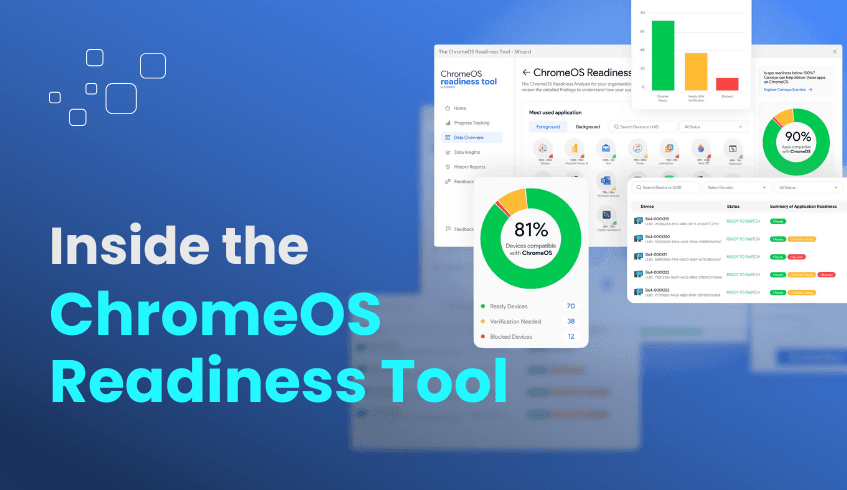
In the shift toward secure, cloud-first IT environments, ChromeOS has emerged as a strong choice for organizations looking to boost security and efficiency. The ChromeOS Readiness Tool plays a vital role in assessing compatibility before migration, but behind its intuitive interface lies a thoughtfully designed architecture.
This article explores the tool’s key components, data flow, backend logic, and the newly introduced Unified Deployment Package that streamlines its rollout.
The architecture is built to serve diverse IT environments, offering flexible deployment options and secure data handling:
Deployment Methods
Enterprise Flow – Best for organizations using Active Directory and Group Policy Objects (GPOs), typically in on-premise setups without Unified Endpoint Management (UEM) tools.
Other deployments flow – Designed for UEM-driven environments without Active Directory.
Unified Deployment Package – Simplifies installations by combining the MSI and PowerShell script into a single batch file. It removes the need for UEM PowerShell support, auto-installs the .NET runtime, reduces manual steps, and minimizes failures. As part of the other deployment flows, it comes with both a batch file and a PowerShell script, giving IT teams flexibility and reliability.
Data Collection Agent Runs on client machines to track application usage, process activity, and compatibility indicators. This agent forms the backbone of the tool’s readiness assessments.
Web Dashboards The Pro Dashboard (for organizations or companies) and Partner Dashboard (for certified partners) offer readiness scores, application compatibility breakdowns, device status, and peripheral insights.
The ChromeOS Readiness Tool’s data flow is designed for security, integrity, and controlled access:
Local Data Collection – Information is gathered directly on employee devices.
Encryption at Source – All logs are encrypted locally, and then encrypted with the server’s public key.
Secure Transmission & Storage – Data can be stored in a network shared folder (Enterprise Flow) or in Google Cloud Storage (for both Enterprise and other deployment flows). Access to shared folders is strictly controlled.
Decryption & Dashboard Access – Data is decrypted only by authorized users who possess the private key generated during deployment, ensuring sensitive information stays protected.
The backend is built for reliability and secure processing:
Advanced Encryption – Combines protocols to protect sensitive information at every stage.
Data Sovereignty – All data remains within the organization’s control, aligning with compliance needs.
Resilience – If the data collection agent is closed, it restarts automatically upon reboot.
Performance & Integration – Designed to work seamlessly across different infrastructure setups, whether on-premise, UEM-managed, or hybrid.
The ChromeOS Readiness Tool isn’t just a migration checker; it’s a secure, flexible, and deployment-friendly solution to gain insights built for modern IT teams. Organizations now have a faster, simpler way to roll out the tool without compatibility issues, ensuring a smooth path toward a more secure, efficient ChromeOS environment.
In today’s fast-moving business landscape, organizations in healthcare, finance, education, and other sectors need IT solutions that deliver agility, robust security, and cost efficiency. While Google Workspace provides a strong foundation for collaboration and productivity, the real test of a cloud-native operating system like ChromeOS is its ability to work seamlessly with specialized, industry-specific applications and workflows.
This article examines how ChromeOS serves as a versatile platform for these integrations and how the ChromeOS Readiness Tool facilitates a smooth and successful transition for organizations.
As a cloud-native OS, ChromeOS offers several advantages that make it a strong fit for specialized industries:
Seamless Cloud Connectivity – ChromeOS is designed for web-based and virtualized applications, ensuring employees can work securely from anywhere. While it integrates naturally with Google Workspace, its flexibility extends to other essential industry tools.
Security by Design – With features like sandboxing, verified boot, and automatic updates, ChromeOS reduces malware risks and simplifies compliance for sensitive sectors such as healthcare and finance.
Effortless Scalability – Features like zero-touch enrollment and centralized management make ChromeOS ideal for organizations that need to scale quickly or manage fluctuating user bases.
Specialized industries often rely on complex or legacy software, whether it’s Electronic Health Record systems in healthcare, trading platforms in finance, or learning management systems in education. The ChromeOS Readiness Tool helps ensure these applications won’t slow down your migration.
Key capabilities include:
Application Compatibility Analysis – The tool evaluates existing Windows applications and categorizes them as:
ChromeOS Ready – Fully compatible and ready to run on ChromeOS.
Possibly Ready – May work but could require additional configuration or adjustments.
Blockers – Not compatible with ChromeOS but can be virtualized with Cameyo.
Unknown – Applications still under review or awaiting database updates.
Virtualization Recommendations – For “Possibly ready” or “Blocker” apps, ChromeOS Readiness Tool identifies virtualization needs and recommends solutions like Cameyo to keep critical software accessible.
Actionable Insights – The web-based dashboard provides readiness insights, device assessments, and clear migration roadmaps, enabling IT teams to plan with confidence.
By using the ChromeOS Readiness Tool, organizations can:
Identify challenges early to save time and costs.
Maintain access to essential industry tools—including legacy apps, through Cameyo recommendations.
Strengthen security posture by identifying risky extensions and unsupported applications before migration.
Gain visibility into browser environments with Browser Insights, tracking extensions and browser versions across the organization.
No matter the industry, ChromeOS paired with the ChromeOS Readiness Tool enables a secure, efficient, and fully informed migration.